Quick Answer
If mobs are not spawning in Minecraft, the most common causes are: Peaceful difficulty is enabled, the mob cap is full (usually from cave spawns), light levels are too high, simulation distance is too low, or a gamerule like doMobSpawning has been turned off. Check these five things first before anything else.
Why Are Mobs Not Spawning in Minecraft?
Mobs stop spawning when one or more spawning conditions fail. The game checks light level, available space, biome compatibility, mob cap status, difficulty setting, and chunk loading state before placing any mob. If any condition isn't met, no mob spawns, even if everything else looks right.
The most common culprits are a full global mob cap (often caused by cave spawns you can't see), peaceful mode, or a simulation distance set too low to activate spawning at your location.
The 5-Minute Mob Spawning Diagnosis
Use this decision tree before reading anything else. Most players find their answer within the first three steps.
Are hostile mobs not spawning at night?
│
├─ YES → Is difficulty set to Peaceful?
│ │
│ ├─ YES → Change difficulty to Easy, Normal, or Hard. Done.
│ │
│ └─ NO → Are you standing in a well-lit area (light level 1+)?
│ │
│ ├─ YES (light level 0, dark area) → Check mob cap
│ │
│ └─ Check actual light level with F3 (Java) or Education
│ Edition debug. Torches nearby may be higher than you think.
│
├─ Mob cap check → Press F3 in Java. Look for "E: X/Y" (entities/cap).
│ │
│ ├─ Cap full (E: 70/70 or similar) → Go underground and kill mobs.
│ │ Lit up all caves within 128 blocks? Check simulation distance.
│ │
│ └─ Cap NOT full → Check simulation distance setting.
│
└─ Is the mob farm producing nothing?
│
├─ Check AFK position (must be 24–128 blocks from farm)
├─ Check cave spawns draining the cap
└─ Check the spawn platform light level and slab/carpet placement
Most Common Mob Spawning Problems
|
Problem |
Cause |
Fix |
|
No Hostile mobs at night |
Peaceful difficulty |
Change to Easy/Normal/Hard |
|
Mobs stopped spawning suddenly |
Mob cap full |
Kill or light up caves underground |
|
Mob farm not producing |
AFK spot wrong distance |
Stand 24–128 blocks from the spawn platform |
|
No mobs in a specific area |
Light level too high |
Reduce to 0 for hostile mobs |
|
Spawning seems random/slow |
Low simulation distance |
Raise to 10+ chunks |
|
Mobs disappeared after the update |
Gamerule changed |
Check doMobSpawning |
|
Passive mobs won't return |
Passive mob cap full |
Wait or kill existing animals |
|
Nether mobs are spawning |
Wrong biome/light issue |
Check mob cap and biome |
|
No mobs in multiplayer |
Server entity limits |
Ask admin to check max-entity-cramming |
How Do You Fix Mobs Not Spawning?
-
Open your game settings and confirm difficulty is not set to Peaceful.
-
Press F3 (Java) and check the entity count if the mob cap is full. Find and kill mobs in caves below you.
-
Check light levels at your location. Hostile mobs need light level 0 to spawn (changed in Java 1.18).
-
Raise simulation distance to at least 8–10 chunks in your settings.
-
Open chat and run /gamerule doMobSpawning, it should return true.
-
If using a mob farm, reposition your AFK spot to exactly 24–128 blocks from the spawn platform.
-
Light up all cave systems within 128 blocks of your base.
Mob Spawn Requirements
|
Mob Type |
Light Level |
Surface |
Space Required |
Notes |
|
0 |
Any solid, opaque |
2 blocks tall, 1 wide |
Won't spawn on transparent blocks |
|
|
0 |
Any solid, opaque |
2 blocks tall, 1 wide |
Same rules as undead |
|
|
0 |
Any solid |
2 blocks wide, 1 tall |
Can spawn on edges |
|
|
0 |
Any solid |
3 blocks tall |
Rare on the surface |
|
|
Blazes |
Any (Nether) |
Nether fortress |
2 tall, 1 wide |
Fortress-only |
|
Slimes |
0 (slime chunk) / any (swamp) |
Solid |
3 blocks tall |
Chunk and height dependent |
|
Phantoms |
0 (sky) |
The player hasn't slept |
Above sea level |
Java: 3+ days without sleep |
|
Passive mobs |
Any |
Grass (most) |
2 tall |
Spawn mainly during world gen |
Detailed Problem Breakdown
1. Peaceful Mode Enabled
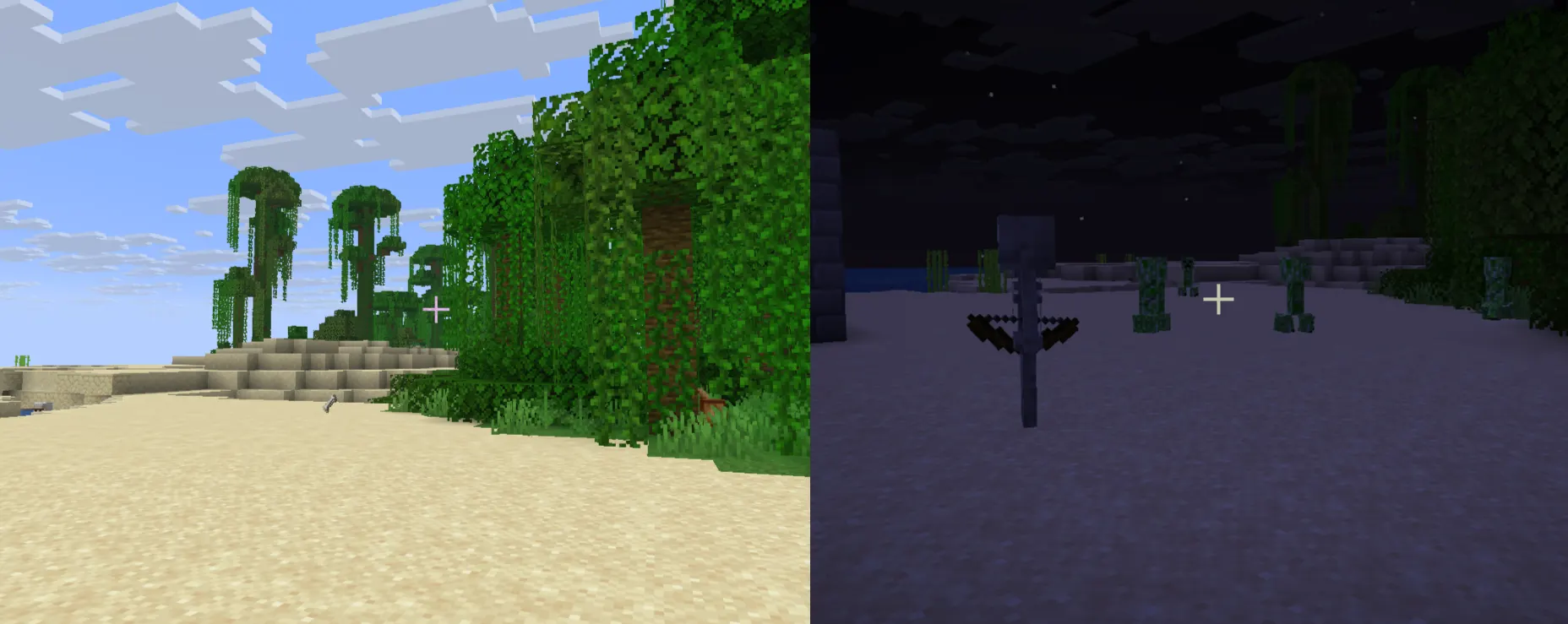
Symptom: Zero hostile mobs anywhere, at any time of day. Cause: Peaceful difficulty removes all hostile mob spawning entirely. Any hostile mobs that exist despawn immediately when you switch to Peaceful. Fix: Go to Settings → Game → Difficulty and switch to Easy, Normal, or Hard. Mobs will begin spawning within a few seconds once you're in a dark area.
2. Difficulty Settings Confusion
Symptom: Hostile mobs are extremely rare or seem to appear less than expected. Cause: Easy difficulty reduces hostile mob spawn rates and removes some spawn mechanics (e.g., zombies won't break doors). Players coming from Normal or Hard sometimes feel Easy is "broken." Fix: Switch to Normal for standard mob density, Hard for higher density. This affects spawn rates, mob behavior, and overall danger.
3. Light Level Too High
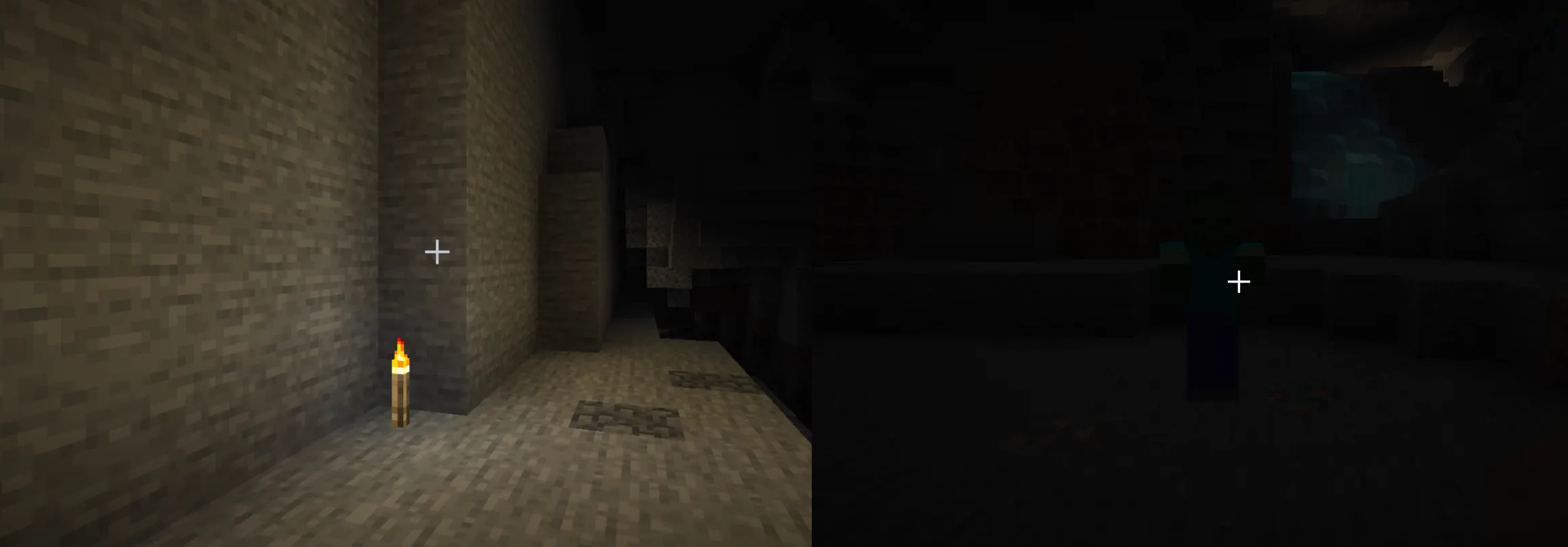
Symptom: You're in what looks like a dark area, but mobs won't spawn. Cause: In Java Edition 1.18+, hostile mobs require a light level of 0 to spawn. Even a single torch, glowstone, or skylight peeking through can raise an area above 0. In versions before 1.18, the threshold was light level 7. Fix (Java): Press F3 and look at "Local Difficulty" or use the light level overlay (F7 in some clients or with a mod). Find the exact light level. Remove light sources until the area reads 0. Fix (Bedrock): Bedrock doesn't have a built-in light level overlay. Use a full block of wool or carpet to test — if a mob hasn't spawned in 10 minutes in a sealed dark room, check all possible light sources, including lava, sea lanterns, and shroomlights nearby.
4. The Mob Cap — The Most Misunderstood Issue
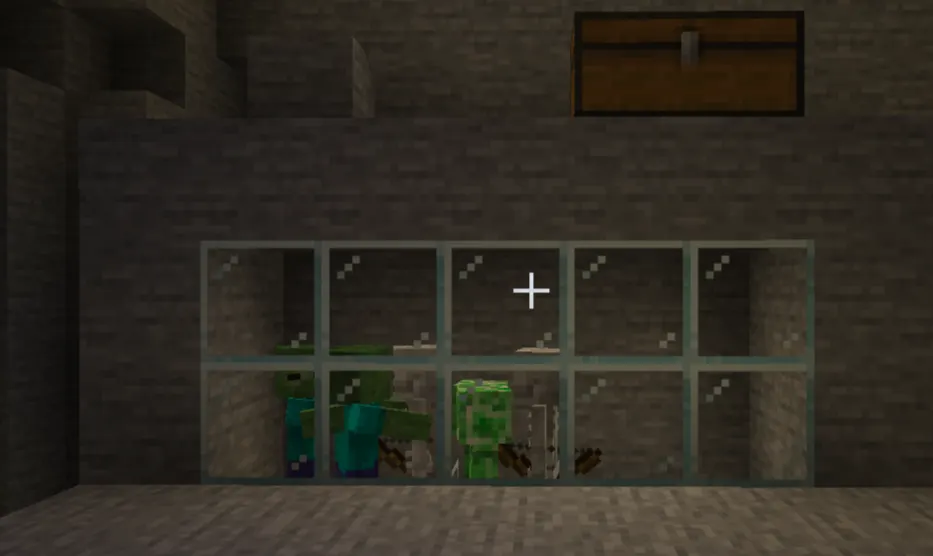
This is where most experienced players get stuck.
Minecraft limits the total number of loaded mobs in the game at any time. This is the global mob cap. When it's full, no new mobs spawn anywhere. The cap isn't per-biome or per-farm. It's global across all loaded chunks.
Java Edition Mob Cap Breakdown:
|
Mob Category |
Cap (per player, singleplayer) |
Notes |
|
Hostile |
70 |
Monsters: zombies, skeletons, creepers, etc. |
|
Passive |
10 |
Cows, pigs, chickens, sheep |
|
Ambient |
15 |
Bats |
|
Water Creature |
5 |
Squid, dolphins |
|
Water Ambient |
20 |
Cod, salmon, tropical fish |
In singleplayer, these caps apply based on a 17x17 chunk area around the player. In multiplayer, the caps scale with player count, but don't multiply perfectly. 4 players don't get 4x the cap.
The cave problem: You're standing on the surface. 128 blocks below you are dozens of caves full of zombies and skeletons spawning in the dark. Your mob cap reads 70/70 constantly. Your surface farm produces nothing.
How to check the cap in Java: Press F3. Look for E: X / Y in the top left. The second number is your mob cap for entities in general. For the hostile mob cap specifically, install a mod or use /execute commands to count loaded entities.
Fix: Light up every cave within 128 blocks of your position. Use a cave finder or just go down with Torches systematically. Once the cap drops, your farm will work.
5. Mob Farm Not Working

Symptom: Your mob farm produces nothing or very few mobs. Cause: Three common problems: AFK position is wrong, the mob cap is full, or the spawn platform has accidental light.
The AFK distance rule:
-
Mobs cannot spawn within 24 blocks of a player.
-
Mobs despawn naturally beyond 128 blocks (soft despawn zone starts at 32 blocks for non-persistent mobs in Java).
-
Your AFK spot must be 24–128 blocks from the spawn platform. The sweet spot is usually around 50–80 blocks.
Spawn platform issues to check:
-
Slabs and stairs block spawning (they count as top-half blocks). Use full blocks.
-
Carpet prevents spawning on the block below it.
-
Any light level above 0 on the spawn floor kills the rate.
-
Water flow should be flush with the floor; one-block gaps reduce spawn area.
6. Caves Stealing Your Spawns
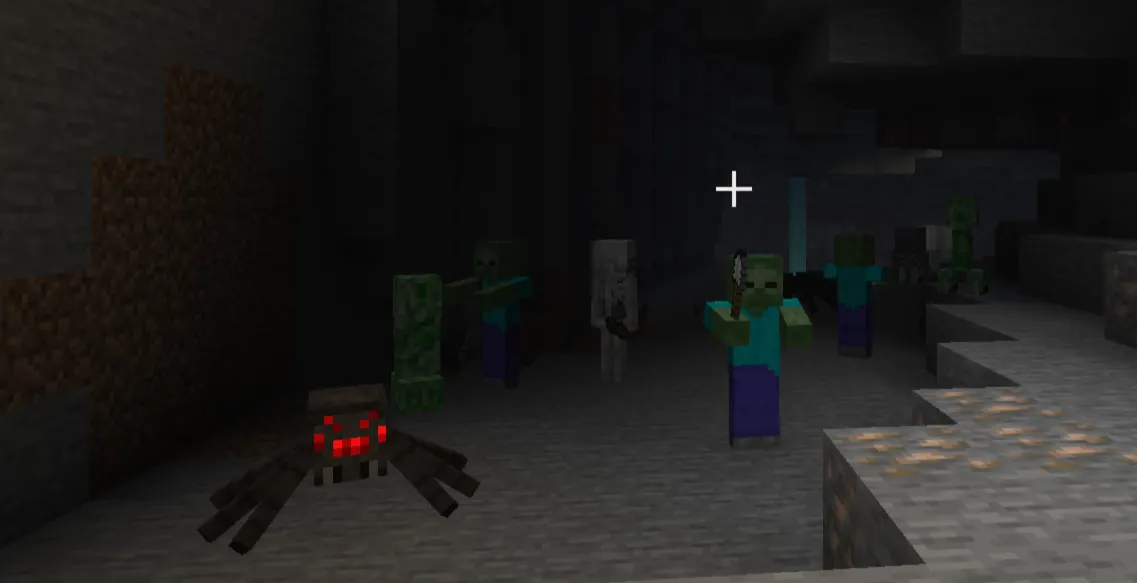
Even if your mob farm is perfect, caves are almost certainly stealing your mob cap.
When you AFK at your farm 60 blocks above ground, the game is also loading chunks below you. Any dark caves within that radius count toward your mob cap. You can have 70 hostile mobs underground and 0 at your farm.
The fix is tedious but necessary: Light up everything. Use F3+G to see chunk borders, head underground, and torch every cave. Players who do this properly often see their farm rates increase by 5–10x overnight.
Alternatively, build your farm in the sky at Y=256+ or in the ocean, away from cave systems.
7. Simulation Distance
Simulation distance is not the same as render distance. This trips up a lot of players.
-
Render distance controls how far you can see.
-
Simulation distance controls how many chunks are actually processed by the game, including mob spawning.
If the simulation distance is set to 4 chunks, mobs only spawn within 4 chunks of you, even if you can see 16 chunks away. On lower-end devices, Bedrock defaults the simulation distance to 4 or 6 chunks to save performance.
Bedrock vs Java:
|
Setting |
Java |
Bedrock |
|
Default simulation distance |
Equal to render distance |
Can be set independently |
|
Minimum for decent mob spawning |
8 chunks |
8 chunks |
|
Recommended for mob farms |
10–12 chunks |
10 chunks |
|
Command to check |
F3 → check loaded chunks |
Settings → Video → Simulation Distance |
Fix: On Bedrock, go to Settings → Video → Simulation Distance and raise it. On Java, Simulation Distance is in the Video Settings under a separate slider from render distance (added in 1.18).
8. Render Distance Confusion
Render distance affects what you see, not what spawns. You can have render distance at 32 chunks and simulation distance at 4. You'll see far, but mobs only spawn nearby.
Don't confuse the two. Always check the simulation distance first when troubleshooting farm rates.
9. Chunk Loading Issues
Mobs only spawn in loaded chunks. If a chunk isn't being actively ticked, no spawning happens there.
In multiplayer, if other players pull chunks away from your farm, your farm might be partially unloaded. Use /forceload commands (Java) to keep key chunks loaded regardless of player position.
In Bedrock, chunk loading behavior differs; chunks load based on simulation distance from each player's position, but chunk ticking only happens within the simulation range.
10. Spawn-Proofing Mistakes
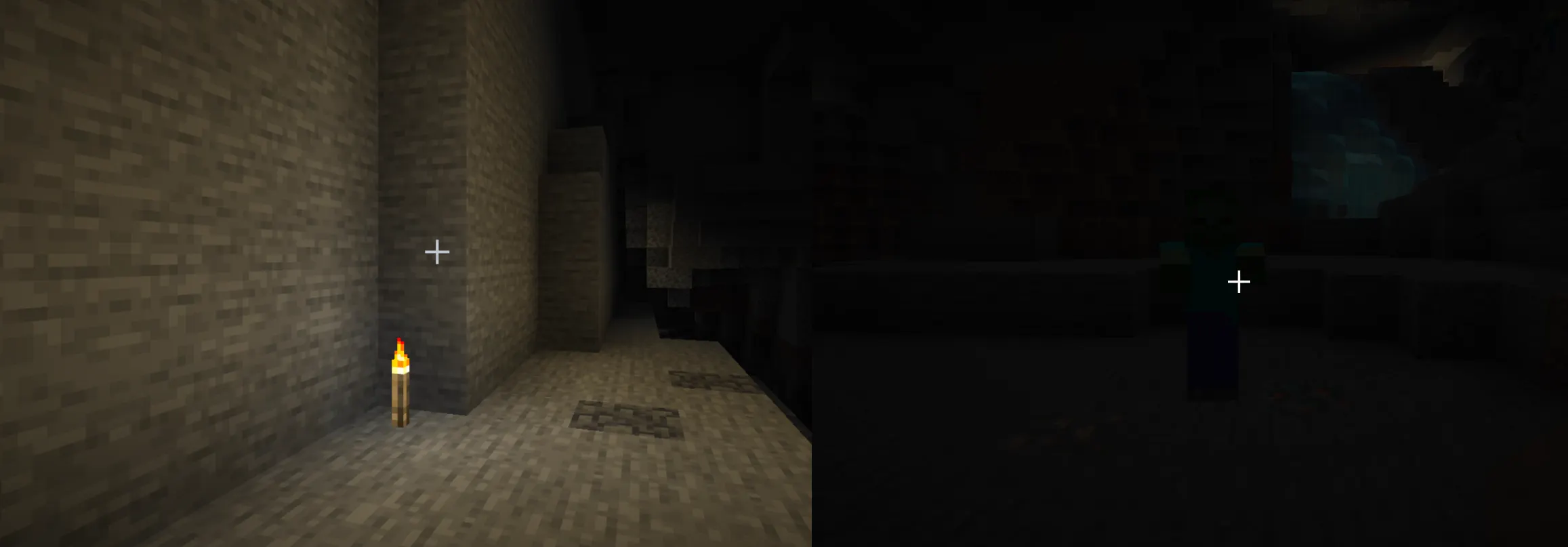
Sometimes the problem is that you've accidentally spawn-proofed an area you wanted mobs to use.
Common accidental spawn-proofing:
-
Bottom slabs on a floor (mobs can't spawn on bottom half-slabs)
-
Carpet covering the floor
-
Buttons or pressure plates on every block
-
Light from a torch you forgot about
-
Glass or transparent blocks in the ceiling letting in sky light
If you're trying to prevent spawning in your base, these are intentional. But if these exist inside your mob farm by accident, they explain the low rates.
11. Multiplayer Server Restrictions
Servers often reduce entity counts to protect performance. Common server-side limits:
-
max-entity-cramming (Java): Default 24. When more than this many entities occupy a block, extras take damage and die. Can kill mob farm production if the collection area is too small.
-
mob-spawn-range in server configs: Many server software (Paper, Spigot) let admins reduce the radius in which mobs spawn. A range of 2 chunks means your farm 80 blocks away won't work.
-
Entity plugins: Some servers use entity limiter plugins that cap mobs per chunk.
Fix: Ask the server admin what their mob spawn range and entity limits are. If you're the admin, check paper.yml (Paper servers) or bukkit.yml for spawn rate multipliers.
12. Bedrock-Specific Spawn Bugs
Bedrock Edition has a few quirks that Java doesn't:
-
Despawn distance difference: On Bedrock, mobs despawn beyond 44 blocks from the player on survival, but the exact behavior differs slightly by version. Some Bedrock updates changed this.
-
Mob cap is based on render distance: Bedrock's mob cap scales with your render distance setting. Lower render distance = lower cap.
-
Mob spawning near structures: Bedrock sometimes has issues with mobs spawning inside structures in unexpected ways.
-
Simulation distance and mob farms: Bedrock mob farms require the player to be within simulation distance of the spawner. Going too far breaks spawner-based farms.
13. Java Edition Mob Spawning Mechanics
Java spawning works on a spawn cycle that runs every game tick. The game picks a random loaded chunk, picks a random position in it, and checks if a mob can spawn there.
Key Java-specific mechanics:
-
The spawn algorithm runs 3 times per tick per mob category.
-
Pack spawning: One successful spawn attempt often triggers 1–4 additional mobs nearby (pack size varies by mob type).
-
The game checks the light level at the spawn block, not at the player position.
-
Mobs can spawn in a 17x17 chunk radius around the player, but must be at least 24 blocks away.
14. Mobs Stopped Spawning After an Update
Updates frequently change spawning mechanics. Notable changes:
-
Java 1.18: Light level threshold for hostile mobs dropped from 7 to 0. If your farm was built pre-1.18, your light-level management might now be fine (previously keeping areas at light level 1–7 was enough to block spawns, now you need 0).
-
Java 1.17: The world height expanded. Mob farms that relied on spawn limits at specific Y levels needed rebuilding.
-
Bedrock parity updates: Several Bedrock updates between 2022 and 2025 changed despawn behavior and simulation distance interactions.
Fix: When spawning breaks after an update, look up the patch notes for that specific version and check for mob spawning changes.
15. Commands and Gamerules Affecting Spawns
Several gamerules directly control mob spawning:
|
Gamerule |
Default |
Effect |
|
doMobSpawning |
true |
Set to false = no mobs spawn at all |
|
doInsomnia |
true |
Controls phantom spawning |
|
doPatrolSpawning |
true |
Controls pillager patrol spawning |
|
doTraderSpawning |
true |
Controls wandering trader spawning |
|
mobGriefing |
true |
Doesn't stop spawning, but affects mob behavior |
If you're in a world where someone has run /gamerule doMobSpawning false, nothing will ever spawn, regardless of all other settings.
Fix: Run /gamerule doMobSpawning true in chat. If you don't have operator permissions, ask whoever manages the world.
16. Passive Mobs Not Spawning
Passive mobs like cows, pigs, sheep, and chickens behave differently from hostile mobs.
Why passive mobs don't respawn naturally: After the initial world generation, passive mobs rarely respawn on their own. The passive mob cap (10 per player in Java) is usually already full from existing animals in loaded chunks. The game won't spawn new ones when the cap is occupied.
Fix:
-
If you've killed all animals in an area, passive mobs will slowly respawn when the cap has room. This can take in-game days.
-
For consistent animal availability, build a breeding pen and breed animals manually rather than relying on natural spawning.
-
Horses, donkeys, and llamas also follow this pattern — they won't naturally respawn after being killed.
17. Hostile Mobs Not Spawning at Night
If days pass with zero hostile mobs on the surface:
-
Confirm difficulty is not Peaceful.
-
Look up and check if you're in an area with sky access and the moon is actually out (not during daytime hours).
-
Check if there's a village nearby triggering "siege" mode instead of normal spawns.
-
In Bedrock, check if your device's simulation distance is limiting the spawn radius.
Hostile surface spawning requires a valid dark surface (light level 0), correct difficulty, an available mob cap slot, and that the spawn location is in a loaded chunk at least 24 blocks from any player.
18. Nether Mobs Not Spawning
Nether spawning is biome-dependent. Different Nether biomes spawn different mobs:
|
Nether Biome |
Mobs That Spawn |
|
Nether Wastes |
Zombified Piglins, Ghasts, Magma Cubes, Piglins |
|
Soul Sand Valley |
Skeletons, Ghasts, Endermen |
|
Crimson Forest |
Hoglins, Piglins, Zombified Piglins |
|
Warped Forest |
Endermen (the only mob that spawns here) |
|
Basalt Deltas |
Magma Cubes, Ghasts |
If you're in the Warped Forest and wondering why only Endermen spawn, that's correct. If Nether mobs in general aren't spawning, check the Nether mob cap (separate from Overworld) and light levels. Neither fortresses have their own spawn logic for Blazes and Wither Skeletons.
19. End Dimension Spawn Problems
The End has very limited natural spawning; only Endermen spawn naturally in the outer End islands and the main island. Shulkers are present but don't respawn after being killed.
If Endermen aren't spawning in the End, it's almost always a mob cap issue. The End's Enderman population can fill the hostile mob cap quickly. Kill existing Endermen to free up cap space.
20. Why Animals Stop Respawning
This confuses a lot of survival players. You clear out an area, kill all the animals, and then nothing comes back. Days pass. Still nothing.
This is intended behavior. Passive mobs have a 10-entity cap per player, and the game only spawns new passive mobs when the cap has room. The cap is shared across all loaded chunks. If your farm is 200 blocks away and has 10 animals in it, no new animals will spawn anywhere else.
The game also has a cooldown between passive mob spawn attempts. It's not instant.
Practical fix: Stop relying on natural passive mob spawning for food. Build a small breeding operation early in your survival run. One pair of cows or pigs, bred regularly, is far more reliable than waiting for animals to appear.
Bedrock vs Java Mob Spawning Differences
|
Feature |
Java Edition |
Bedrock Edition |
|
Light level for hostile spawning |
0 |
0 (matched Java in 1.18) |
|
Mob cap (hostile) |
70 per player |
Scales with render distance |
|
Simulation distance |
Separate from render |
Separate setting |
|
Despawn range |
128 blocks hard, 32 soft |
~44 blocks (version-dependent) |
|
Pack spawning |
Yes |
Yes (different group sizes) |
|
Spawn sphere |
Sphere (3D) |
Cylinder (2D approximation) |
|
Cave spawning impact |
Very high |
Very high |
|
Nether spawn logic |
Same biome rules |
Same biome rules |
|
Chunk loading |
17x17 chunk radius |
Simulation distance radius |
|
Farm design differences |
Spawn sphere vertical |
A cylinder means height matters less |
Minecraft Mob Spawning Checklist
Before concluding your farm or world has a bug, run through every item:
-
Difficulty is not set to Peaceful
-
/gamerule doMobSpawning returns true
-
Light level at spawn area is 0 (use F3 on Java or test with sealed dark room on Bedrock)
-
Mob cap is not full (check F3 entity count on Java; kill mobs in caves if needed)
-
Simulation distance is at least 8 chunks
-
AFK position is 24–128 blocks from your mob farm
-
No slabs, carpet, or transparent blocks on the mob farm floor
-
No accidental light sources (check lava, nearby sea lanterns, sky gaps)
-
Caves within 128 blocks are lit up
-
Server-side entity limits are not restricting mobs (ask admin if multiplayer)
-
No chunk loading issues (use /forceload if needed)
-
In the correct biome for the mob you want
-
Correct Y level for the mob type (slimes: below Y=40 in slime chunks)
Advanced Spawning Mechanics
How the Spawn Sphere Works (Java)
In Java Edition, mobs can only spawn within a sphere centered on the player. The spawn sphere is 128 blocks in radius. Anything outside that sphere doesn't spawn. Anything within 24 blocks also doesn't spawn. The active spawn zone is a "shell" between 24 and 128 blocks from the player.
This 3D sphere means building a farm very high up (Y=200+) can reduce the number of cave spawns competing with your farm, since the sphere at that height clips into less underground territory.
How the Spawn Sphere Works (Bedrock)
Bedrock uses a cylinder approximation rather than a true sphere. Mobs spawn within the simulation distance in X and Z, but the Y range is less strictly bounded. This means Bedrock mob farms often behave differently from Java designs — especially vertically stacked farms.
Why AFK Spots Matter
The spawn algorithm starts from the player's position. If you're standing right next to your farm, mobs spawn there and also everywhere else within 128 blocks (including caves). If you AFK at exactly the right spot, you minimize cave spawning competition and maximize farm throughput.
For a surface mob farm at Y=64, AFKing at Y=164 (100 blocks above) puts the bottom of your spawn sphere near the farm, cutting out most underground cave systems.
How to Test If Spawning Is Working at All
-
Create a sealed room with zero light sources, solid floor blocks, 3-block ceiling height.
-
Stand in Survival mode for 5 in-game minutes.
-
At least 1–3 mobs should appear in a room around 10×10 blocks if spawning is working.
-
If nothing spawns, check difficulty and gamerule first, then mob cap.
Entity Limits on Servers
Most performance-optimized servers run Paper or Purpur, which have per-chunk entity limits. Common values:
-
Hostile mobs per chunk: 40–70 (default 70, often lowered to 20–30 on busy servers)
-
Passive mobs per chunk: 5–10
-
Total entity cramming: 24
If you're trying to run a mob farm on a server and seeing 0 production despite a correct setup, ask for the /paper config values or equivalent.