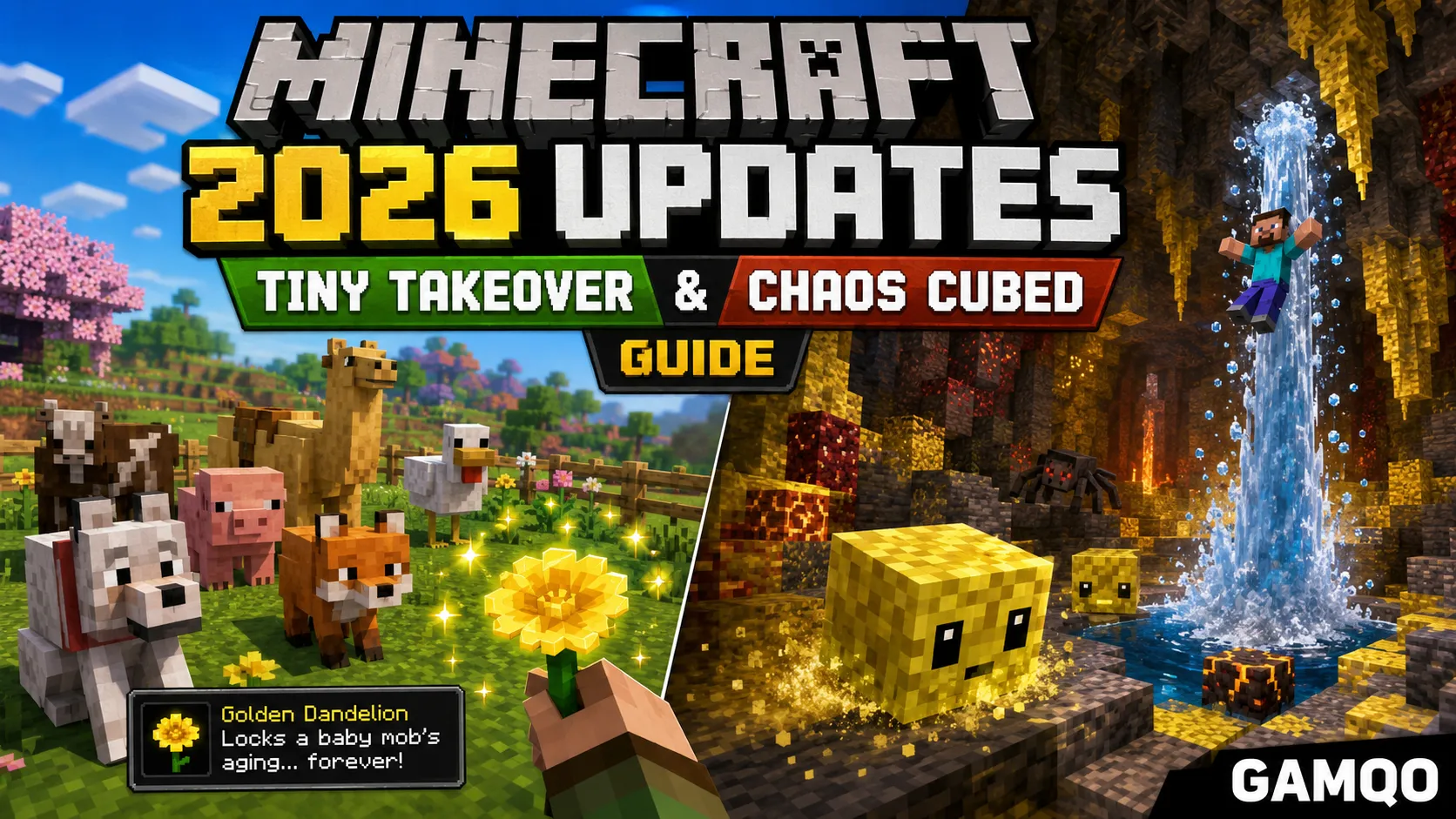
Minecraft 2026 Updates: Everything New in Tiny Takeover and Chaos Cubed
If you searched for "Minecraft 1.26," here's the short version: that update doesn't exist. Mojang retired the old numbering scheme at the end of 2025, and 2026 releases now follow a year-drop.Hotfix format instead. So instead of one big 1.26, we got 26.1 ("Tiny Takeover," March 24, 2026) and 26.2 ("Chaos Cubed," June 16, 2026), with 26.3 currently sitting in snapshot testing.
This guide covers both released drops in full: every block, mob, and mechanic that's actually live in your game right now, plus what's coming next. No leaks, no fan-wiki fiction — just what Mojang shipped.
Wait, what happened to version numbers?
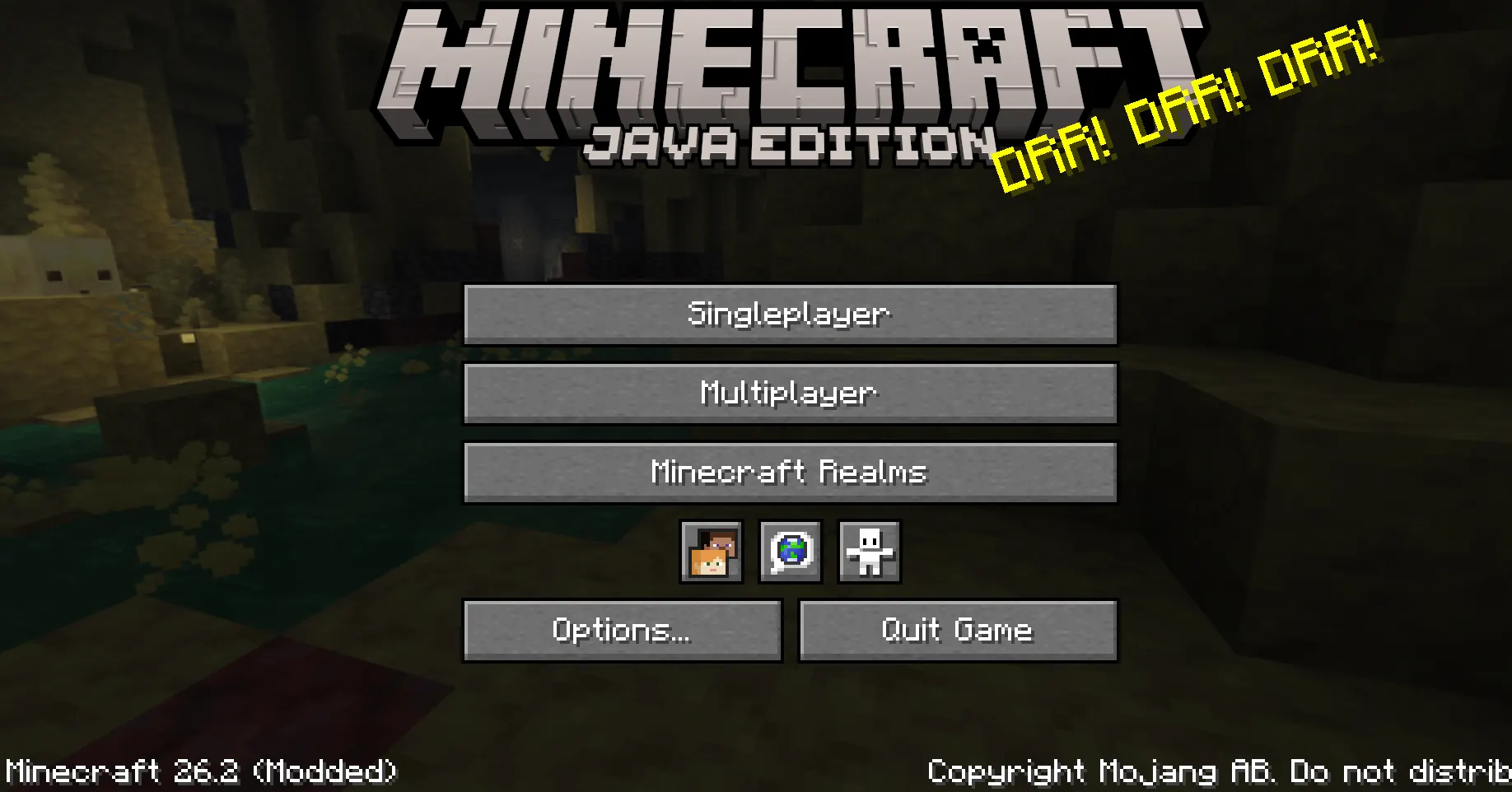
Minecraft used to jump straight from one big numbered update to the next: 1.19, 1.20, 1.21. Starting in 2026, Mojang switched to smaller, more frequent "game drops," each labeled by year and release order. 26.1 is the first drop of 2026, 26.2 is the second, and so on. Hotfixes get a third number, like 26.1.1.
It's a real change, not a rebrand of the same content. 26.1 and 26.2 are genuinely separate, smaller releases rather than one combined "1.26." If you're coming from 1.21.11 (the last update under the old system), you'll want both 26.1 and 26.2 to get caught up.
Who should update
- Casual survival players: Yes. Both drops are safe, well-tested, and add content you'll notice immediately — cuter baby animals, a new cave biome to explore.
- Server owners: Back up your world before updating. 26.1 changed world storage internals and requires Java 25. Wait for your plugin loader (Paper, Fabric, Forge) to confirm support before touching a production server.
- Data pack and resource pack creators: Several formats changed under the hood, including entity predicates and bed/sign models. Test your packs on a snapshot copy first.
Tiny Takeover (26.1): what's new
Released March 24, 2026 on both Java (as 26.1) and Bedrock (as 26.10), Tiny Takeover is a smaller, focused drop built around baby mobs, a couple of quality-of-life items, and a large batch of engine changes.
The golden dandelion
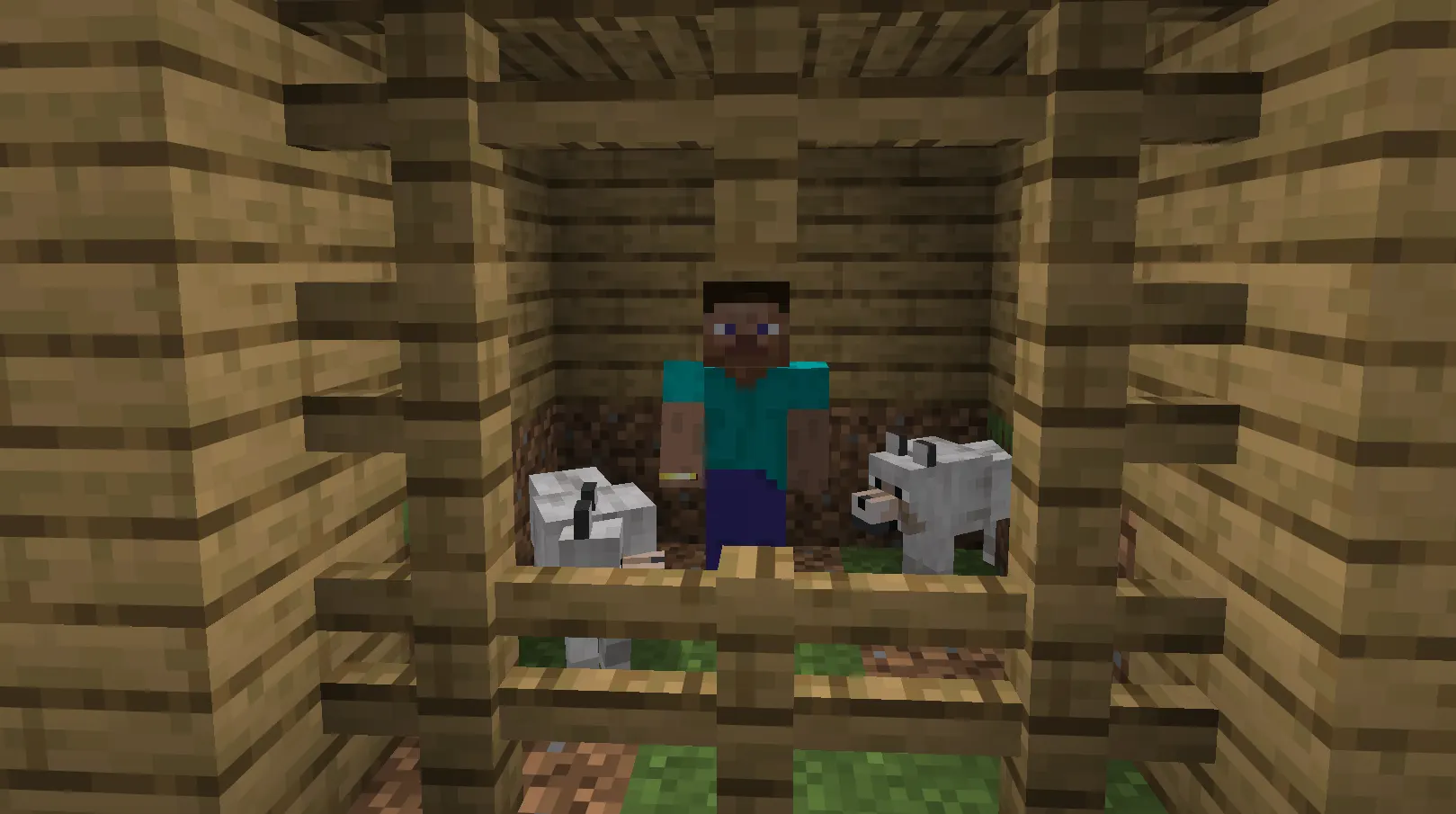
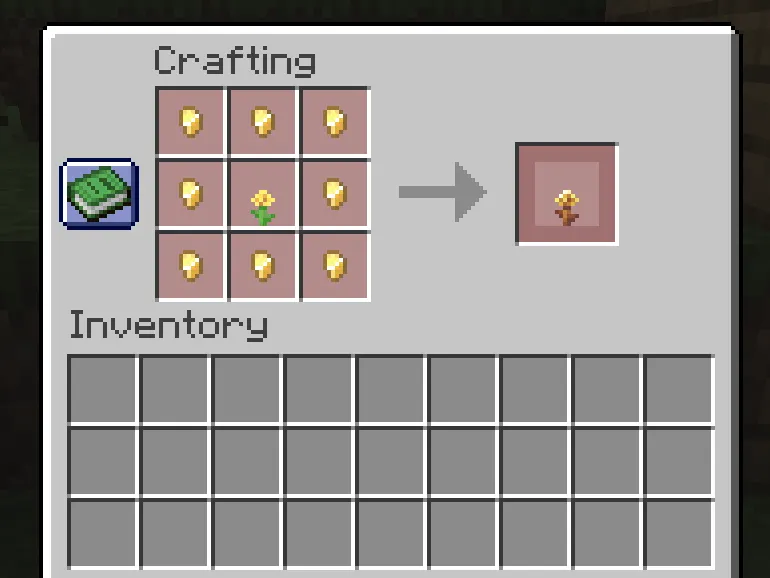
The headline item. Craft one by surrounding a regular dandelion with 8 gold nuggets in a Crafting grid, or buy one from a wandering trader. Feed it to a baby mob and its aging stops permanently — feed it again to let the mob grow up normally.
- Works on almost every baby animal, including baby hoglins.
- Does not work on undead babies (Zombies, husks, drowned, zombie villagers) or on baby villagers.
- Can be crafted into yellow dye or a saturation-boosting suspicious stew if you don't want to use it on a mob.
- Can be planted and potted like any other flower.
Survival use: keep a permanently tiny pet zoo, or lock in a baby fox or wolf you especially like the look of. Creative use: builders use frozen baby mobs as scale references or as static decoration in dioramas. Tip: the aging lock is stored as an NBT flag (AgeLocked), so command block setups and adventure maps can toggle it programmatically.
Baby mob overhaul
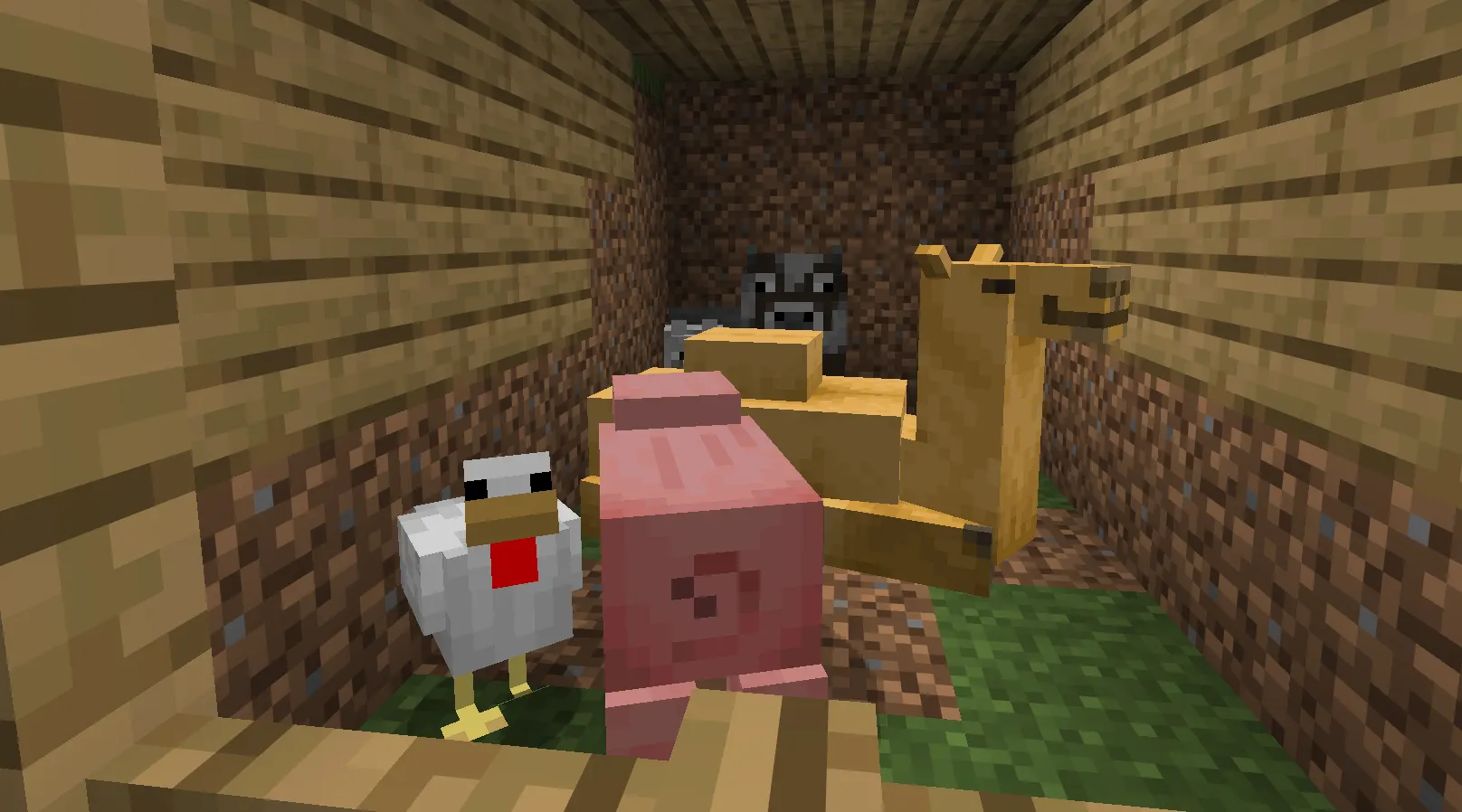
Over 30 baby mobs got new models, textures, and in several cases new sounds — this isn't just a shrunk-down adult anymore. Cats, chickens, horses, pigs, and wolves have distinct baby vocalizations now. Saddles and Armor no longer render on baby pigs, camels, and wolves (so your baby camel won't look like it's wearing an adult saddle three sizes too big). Baby axolotls got a play-dead animation, and baby villagers and zombie villagers are now built from a shared base model with biome-specific overlays.
Practically, this means baby mob farms and breeders on busy servers should render a little more smoothly, since the new models come with adjusted bounding boxes.
Craftable name tags
One of the more requested quality-of-life fixes in years. Combine 1 paper with any single metal nugget (Iron, gold, or copper) to craft a name tag.
To balance this, Mojang removed name tags from Ancient City and Woodland Mansion loot chests and pulled them from the Master Librarian's trade list. The wandering trader now sells them for 1 emerald instead. Net result: name tags are easier to get early, but late-game loot runs yield slightly less of them.
Trumpet note blocks
Place a note block on top of a block of copper, and it plays a trumpet sound instead of the usual instrument. The pitch changes with the copper's oxidation stage, so a single setup with four copper blocks at different oxidation levels gives you four distinct trumpet tones. This is a small addition, but it's genuinely useful for redstone music builds since you no longer need note block towers stacked with different materials underneath to get tonal variety.
Stonecutter and other quality-of-life changes
- Deepslate can now be cut directly into cobbled, polished, brick, and tile variants at the stonecutter — no more manually placing and re-mining blocks to get the base material.
- Stone converts directly into its cobblestone variants the same way.
- The tripwire texture switched from transparent to opaque alpha-cutout, making it noticeably easier to spot while exploring.
Under the hood: villager trades and technical changes
26.1 quietly reworked how villager trades are generated. Trade pools are now data-driven and tied to a seeded random sequence based on your world seed, meaning the same seed produces the same starting trades every time — useful for speedrunners and anyone comparing seeds. Data pack developers can now define custom villager trades entirely through JSON.
This is also the first Java Edition release to ship fully de-obfuscated (readable source), and the first to require Java 25. If you're running an older Java Runtime Environment, the launcher will prompt you to update it automatically.
Chaos Cubed (26.2): what's new
Released June 16, 2026, Chaos Cubed is the bigger of the two drops. It adds a full underground biome, a new mob with genuinely novel mechanics, an experimental rendering backend, and a long-requested social feature.
Sulfur caves
A new underground biome generating inside hills and mountains, identifiable by yellow sulfur and deep red cinnabar block bands. If the biome happens to break the surface, it keeps its full underground look — sulfur terrain and all — rather than reverting to grass.
Sulfur caves spawn cave spiders in place of regular Spiders and are one of the more hazardous cave environments Mojang has added: sulfur pools scattered through the biome contain potent sulfur, a block that releases nausea-inducing gas when submerged under water.
Survival tip: the noxious gas cloud from potent sulfur spreads up to 3 blocks through adjacent water and can rise through non-collidable blocks like scaffolding. If you need to work near a sulfur pool without submerging it, scaffolding placed above the block lets you stand there without breathing in the gas — a genuine alternative to hauling copper grates down with you.
Potent sulfur and geysers
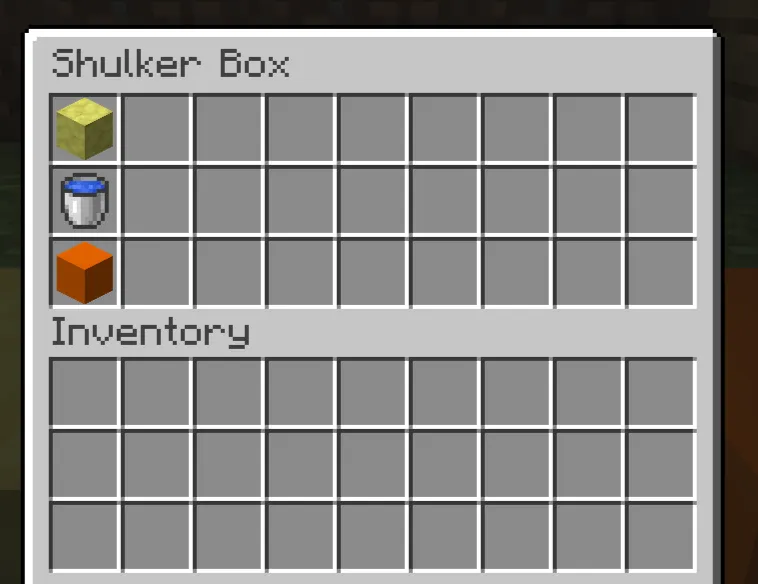
This is the most mechanically interesting new block in the update. Place potent sulfur under 1–4 water source blocks with a magma block underneath, and it becomes a geyser that erupts roughly every 50 seconds, launching a plume of water and giving a strong upward boost to anything standing above it — without dealing fall or explosion damage on the way up.
- More water blocks above the potent sulfur means a taller plume (roughly 7 blocks of launch height per water block stacked).
- Swap the magma block for a source of lava instead, and the geyser erupts continuously rather than on a timer.
- Sculk sensors can detect the start and end of an eruption, which opens the door to redstone contraptions that trigger off geyser timing.
- Scaffolding above an erupting geyser lets you ride the plume up without inhaling the noxious gas it also produces.
Building idea: a natural-looking launch pad for parkour maps, or a passive elevator shaft in a sulfur cave base that doesn't require any redstone at all.
Sulfur cube
The new mob, and genuinely unlike anything else in the game. Sulfur cubes are passive but spawn like hostile mobs (competing for the hostile mob cap) and despawn when no player is nearby. They have 4 hearts of health and move by hopping, similar to slimes.
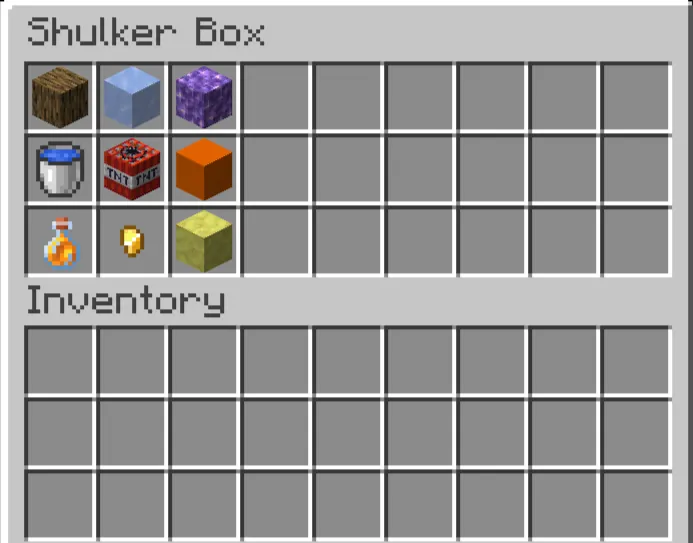
Hand a sulfur cube a block and it absorbs it, taking on that block's physical properties — bounciness, speed, ground friction, and air resistance all change based on what it swallowed. Mojang built twelve distinct "archetypes":
| Archetype | Behavior | Triggered by |
|---|---|---|
| Regular | Medium speed, medium bounce, buoyant | Dirt, mud |
| Bouncy | Fast, highly bouncy, buoyant | Wooden blocks |
| Slow Bouncy | Slow, highly bouncy | Stone, minerals |
| Fast Flat | Fast, low bounce | Organic blocks |
| Slow Flat | Slow, low bounce | Metal blocks |
| Light | Slow, bouncy, high air drag, buoyant | Wool |
| Fast Sliding | Fast, zero bounce, low friction | Icy blocks |
| Slow Sliding | Slow, zero bounce, low friction | Shroom blocks |
| High Resistance | Very slow, high friction | Soul sand, soul soil |
| Sticky | High friction, no bounce | Honeycomb blocks |
| Explosive | Regular movement, can be primed | TNT |
| Hot | Regular movement, damages on contact | Magma blocks |
Feed a small sulfur cube slimeballs to grow it into a large one. Once a sulfur cube has absorbed a block, it stops taking fall, player, or explosion damage and becomes something you can physically push and punch around — though lava will still hurt it. You can shear a large cube to remove its absorbed block, or scoop it up whole with an empty bucket. Killing an unabsorbed sulfur cube splits it into two smaller ones, same as slimes.
The Explosive archetype is the one to watch: a sulfur cube holding TNT can be primed with redstone, fire, or a nearby explosion, and detonates with a randomized fuse. There's even a dedicated advancement, "Uh Oh," for triggering it.
Survival use: a sulfur cube holding a metal block is a surprisingly durable, movable physical obstacle — useful for redstone contraptions that need a pushable, damage-immune object. Creative use: the different archetypes make for genuinely fun minigames; a "Bouncy" cube arena or an ice-rink "Fast Sliding" cube race is easy to set up with dispensers, which can now equip, swap, and shear blocks inside a sulfur cube automatically.
Sulfur and cinnabar block sets
Both blocks come with a full building set: stairs, slabs, walls, polished variants, bricks, brick stairs/slabs/walls, and a chiseled version. Cinnabar's deep red and sulfur's bright yellow-gold give builders a genuinely new color palette for underground temples, volcanic bases, or fantasy builds that previously had to rely on terracotta or nether blocks to get similar tones.
Sulfur spikes also generate naturally in the caves as stalactites and stalagmites — they deal damage if one falls on you, can be combined into longer formations, and 4 of them craft back into a sulfur block if you'd rather have flat material than decoration.
Friends list

A genuinely new social feature, not a cosmetic addition. Accessible from a Friends button on the title screen and pause menu (or the O key), it lets you send and manage friend requests by profile name, see who's online or in a world, and get toast notifications when friend activity happens while you're playing.
Presence sharing is configurable in Online Options: share everything, limit it to online/offline status, or turn it off entirely and appear offline to friends. If your Xbox chat privacy is set to "Friends Only," this list determines who you'll actually see messages from.
Experimental Vulkan renderer
Java Edition can now optionally render using Vulkan instead of OpenGL, accessible through a new "Graphics API" video setting (Default, Prefer Vulkan, Prefer OpenGL). This is explicitly experimental — the game automatically falls back to OpenGL if Vulkan crashes on startup, and older hardware or drivers simply won't support it yet.
Should you turn it on? Not for your main world yet. It's early, unstable on some GPU/driver combinations, and Mojang's own snapshot notes describe ongoing crash fixes around it. Worth testing on a spare instance if you're curious, especially if you're on newer hardware.
Smaller but real changes
- Beds now bounce entities with 75% of impact velocity (up from 66%), matching Bedrock.
- Beds and signs switched from built-in entity models to block models — a change resource pack creators need to account for, since the old bed and sign texture atlases were merged into the main block atlas.
- Ocelots, piglins, and zombie horses can now spawn on Peaceful difficulty.
- Five new background music tracks and a new music disc ("Bounce," found in mineshaft minecarts inside sulfur caves) from composer fingerspit.
Java vs. Bedrock: what's different
The gap between editions narrowed with this pair of updates, but it isn't zero.
| Java Edition | Bedrock Edition | |
|---|---|---|
| Tiny Takeover release | 26.1, March 24, 2026 | 26.10, March 24, 2026 (same day) |
| Chaos Cubed release | 26.2, June 16, 2026 | 26.2, matching version number |
| Feature parity | Full | Full, with Bedrock-specific technical toggles for creators (Beta APIs, Upcoming Creator Features) |
| Vulkan renderer | Experimental, opt-in | Not applicable — Bedrock already uses a different rendering pipeline |
| Friends list | New in 26.2 | Bedrock has had a similar friends system via Microsoft/Xbox social features for longer |
For Chaos Cubed, Bedrock and Java version numbers finally line up (both 26.2), which wasn't the case for Tiny Takeover, where Bedrock briefly used its own 26.10/26.1/26.1 hotfix numbering. If you manage a cross-platform server, that's a genuinely useful simplification going forward — you can generally assume matching numbers mean matching content from 26.2 onward.
What's coming in 26.3
Java Edition 26.3 is currently in snapshot testing and hasn't shipped a stable release yet, so treat everything below as unconfirmed and subject to change. So far, snapshots have focused on:
- A new order-independent transparency rendering approach, intended to fix long-standing issues with translucent blocks like stained glass and ice overlapping incorrectly.
- Persistent mobs deactivating their random walk/swim behavior when no player is nearby, matching how non-persistent mobs already behave — a performance change more than a content one.
- Interaction priority fixes, like Shields now taking precedence over tilling/path-making when held alongside a hoe or shovel.
No new biome, block set, or mob has been confirmed for 26.3 yet. Don't build content around leaked or speculative features — wait for an official Mojang changelog.
Best survival strategies for 26.1 and 26.2
Early game: Grab a wandering trader's name tag or dandelion-craft the golden dandelion as soon as you've got a gold farm or two villages worth of trading going. If you spawn near a sulfur cave, treat it with the same caution as a normal cave system plus gas hazard — bring extra Food, since retreating from noxious gas costs time.
Mid game: Sulfur caves are worth prioritizing for base material alone; cinnabar and sulfur give you decorative blocks most players won't have without deliberately seeking the biome out. If you find a natural geyser setup (potent sulfur over magma under water), it's a free vertical transport system before you've even unlocked elytra.
Late game: A sulfur cube farm isn't really about loot — unabsorbed cubes drop nothing when killed — but a captured "Bouncy" or "Fast Sliding" cube makes an entertaining minigame centerpiece for a finished base, and the archetype system gives redstone builders a genuinely new physics toy to experiment with.
Building ideas using the new features
- Volcanic temple: cinnabar and sulfur brick sets, paired with a magma-fed geyser as a dramatic centerpiece fountain.
- Baby mob sanctuary: golden dandelion every animal in an enclosed biodome so it stays permanently tiny — works especially well with the redesigned baby wolf and cat models.
- Sulfur cube racetrack: dispensers loaded with ice blocks feeding sulfur cubes into a "Fast Sliding" course, judged by which cube crosses a pressure-plate finish line first.
- Copper trumpet organ: a bank of note blocks over copper blocks at four different oxidation stages, wired to a redstone sequencer for a genuinely playable four-tone instrument.
Hidden features and quality-of-life details
- The golden dandelion's particle effects differ depending on direction: green particles drifting downward when aging is paused, upward when it's resumed — useful for confirming a mob's state at a glance without opening its NBT data.
- Dispensers can now shear a sulfur cube's absorbed block out remotely, which means automated block-sorting or cube-resetting contraptions are possible without manual interaction.
- The new Lightmap debug renderer (F3 + 4) visualizes exactly how block light and sky light combine into final lighting — a genuinely useful tool if you're troubleshooting why a build looks darker or brighter than expected.
- Sculk sensors can pick up geyser eruption start/end events, meaning you can build a warden-adjacent contraption that reacts to geyser timing specifically.
- "Adventuring Time" now requires visiting the sulfur caves biome, so completionists chasing that advancement have a new required stop.
25+ tips and tricks
- Craft the golden dandelion recipe (1 dandelion + 8 gold nuggets) once, then keep a stock — it's reusable indefinitely on any eligible mob.
- Feed a golden dandelion to a mob twice to toggle aging back on if you change your mind.
- Buy name tags from wandering traders early if you haven't got a paper/nugget surplus yet.
- Deepslate cobbled/polished/brick/tile variants no longer need manual placing-and-mining — use the stonecutter directly.
- Look for tripwire more easily now that its texture is opaque; useful for spotting old traps in abandoned bases.
- Place scaffolding above potent sulfur instead of copper grates to avoid the noxious gas while still catching the geyser boost.
- A lava source under potent sulfur gives continuous eruptions — useful for a permanent updraft rather than a timed one.
- Sculk sensors detect geyser eruption starts and ends, so you can trigger redstone off geyser timing.
- Sulfur cube archetypes are entirely determined by the block you feed them — plan your farm layout around which archetype you actually want.
- Small sulfur cubes grow into large ones on slimeballs, so keep a slime farm running if you want a steady cube supply.
- A large sulfur cube with an absorbed block takes no fall, player, or explosion damage — but lava still hurts it, so don't test durability near lava.
- Shear a large sulfur cube to eject its block and reset its physics to default.
- Bucket up a large sulfur cube to relocate it without losing its archetype.
- Dispensers can equip, swap, and shear sulfur cube contents automatically — worth building into an auto-sorter.
- The Explosive archetype has a randomized fuse when set off by a nearby blast, so don't assume a fixed timer for redstone triggers.
- Ocelots, piglins, and zombie horses now spawn on Peaceful, which changes what you'll encounter even with monsters turned off.
- Cinnabar and sulfur are both mineable/pickaxe blocks, so bring a pickaxe (not a shovel) into sulfur caves.
- Sulfur spikes break under thrown tridents — useful if you need to clear a passage quickly without melee combat.
- Four sulfur spikes craft back into one sulfur block if you'd rather have building material than decoration.
- The Friends List "Presence" setting defaults to sharing everything — check Online Options if you want more privacy.
- Toast notifications for friend activity can be turned off separately from the friends list itself via the "In-game Notification" toggle.
- Try Vulkan rendering on a secondary game instance before switching your main setup, since it can still crash on some GPU/driver combinations.
- If Vulkan crashes at startup, the game automatically reverts your Graphics API setting — you don't need to manually fix a broken config.
- Note block trumpets change pitch by copper oxidation stage, so a single copper block left un-waxed will eventually shift the note over time.
- Baby mob bounding boxes changed in 26.1, so double-check any exact-block mob farms you built before the update still funnel babies correctly.
- Villager trade pools are now seeded by world seed, so trading results on freshly generated villages in the same seed will be consistent.
- If you're running a data pack with custom villager trades, 26.1's new data-driven trade format lets you define them in JSON without a mod.
Common mistakes to avoid
Assuming "1.26" is a real version. It isn't — search for 26.1 or 26.2 specifically if you're troubleshooting or looking for mod/plugin compatibility.
Updating a production server without backups. 26.1 changed world storage internals; back up before updating, and check your loader's (Paper/Fabric/Forge/NeoForge) compatibility page first.
Standing directly over a submerged potent sulfur block without protection. The noxious gas cloud spreads through adjacent water and rises through non-collidable blocks — scaffolding solves this, bare water doesn't.
Expecting loot from killing an unabsorbed sulfur cube. They drop nothing. The value is entirely in the archetype mechanic, not combat rewards.
Mining sulfur caves with a shovel. Sulfur and cinnabar blocks need a pickaxe.
Turning on experimental Vulkan rendering on your only game install. It's explicitly unstable on some hardware. Test on a secondary instance.
Conclusion
Neither Tiny Takeover nor Chaos Cubed is trying to be a "1.21-sized" mega-update, and that's the point of Mojang's new release cadence — smaller, more frequent drops instead of one giant yearly patch. Between the two, Chaos Cubed is the meatier update: sulfur caves, the sulfur cube's archetype system, and the geyser mechanic are all genuinely new gameplay, not just reskins. Tiny Takeover is worth having mainly for the golden dandelion and craftable name tags, both of which fix long-standing annoyances.
If you're catching up from 1.21.11, update through both in order, back up your world first, and start with a sulfur cave — it's the single best showcase of what's actually changed this year.